This setup allows ThankYou Analytics to automatically write your data into your BigQuery environment through a secure service account. Once it’s configured, you’ll be able to enable automatic exports from the ThankYou app — check out our dedicated guide to learn more.

The setup consists of 3 steps and takes approximately 5 minutes.
To export data to your BigQuery, you need to create a specific service account for ThankYou Analytics.
Log in to your Google Cloud Console
Select your project
Navigate to IAM & Admin section then Service Account
Create a new service account dedicated to the ThankYou Analytics app
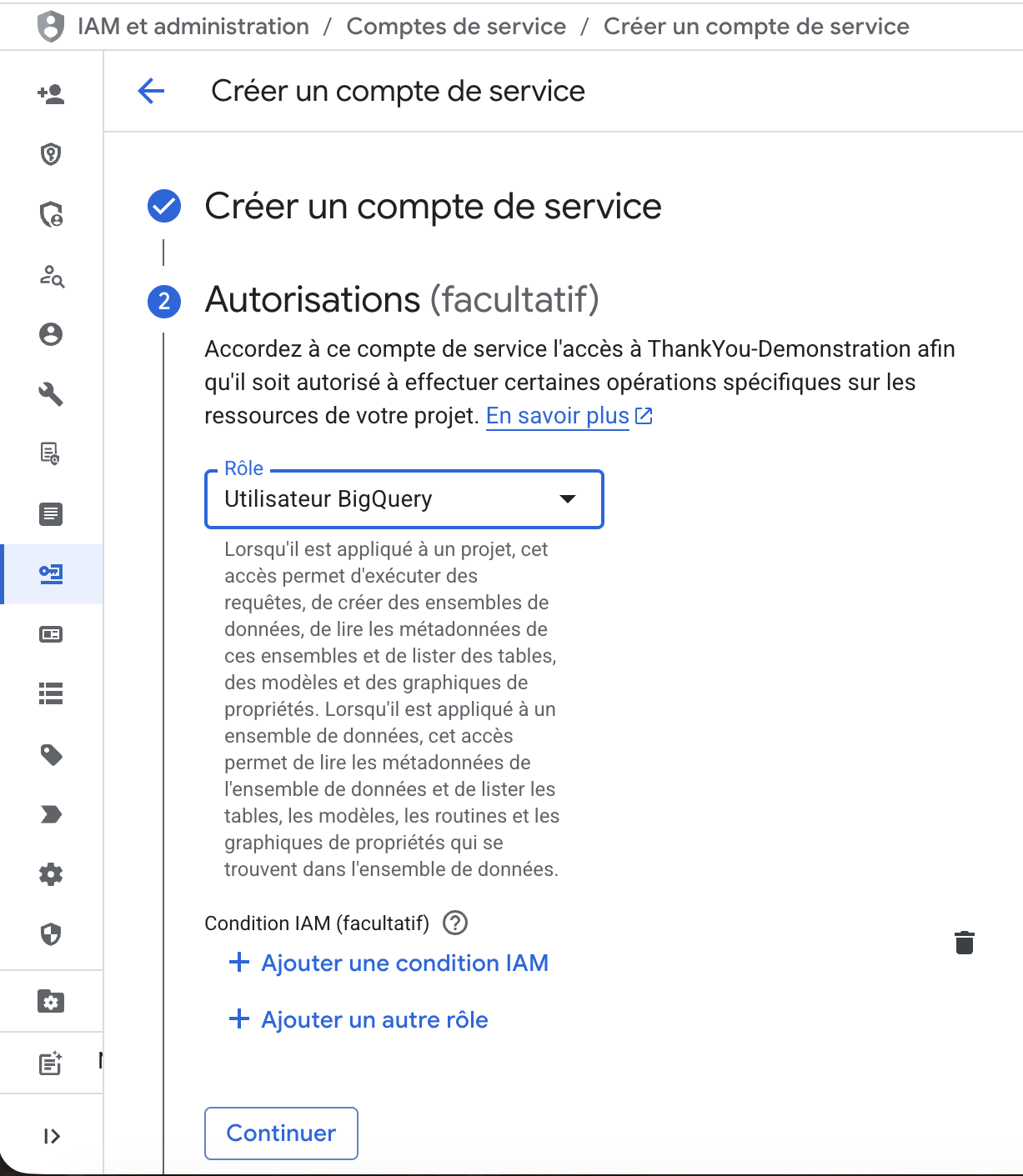
Step 1: Name the account with the account name prefixed or suffixed with “ty”
Step 2: Assign the "BigQuery User" role for the project.
Step 3: Not needed
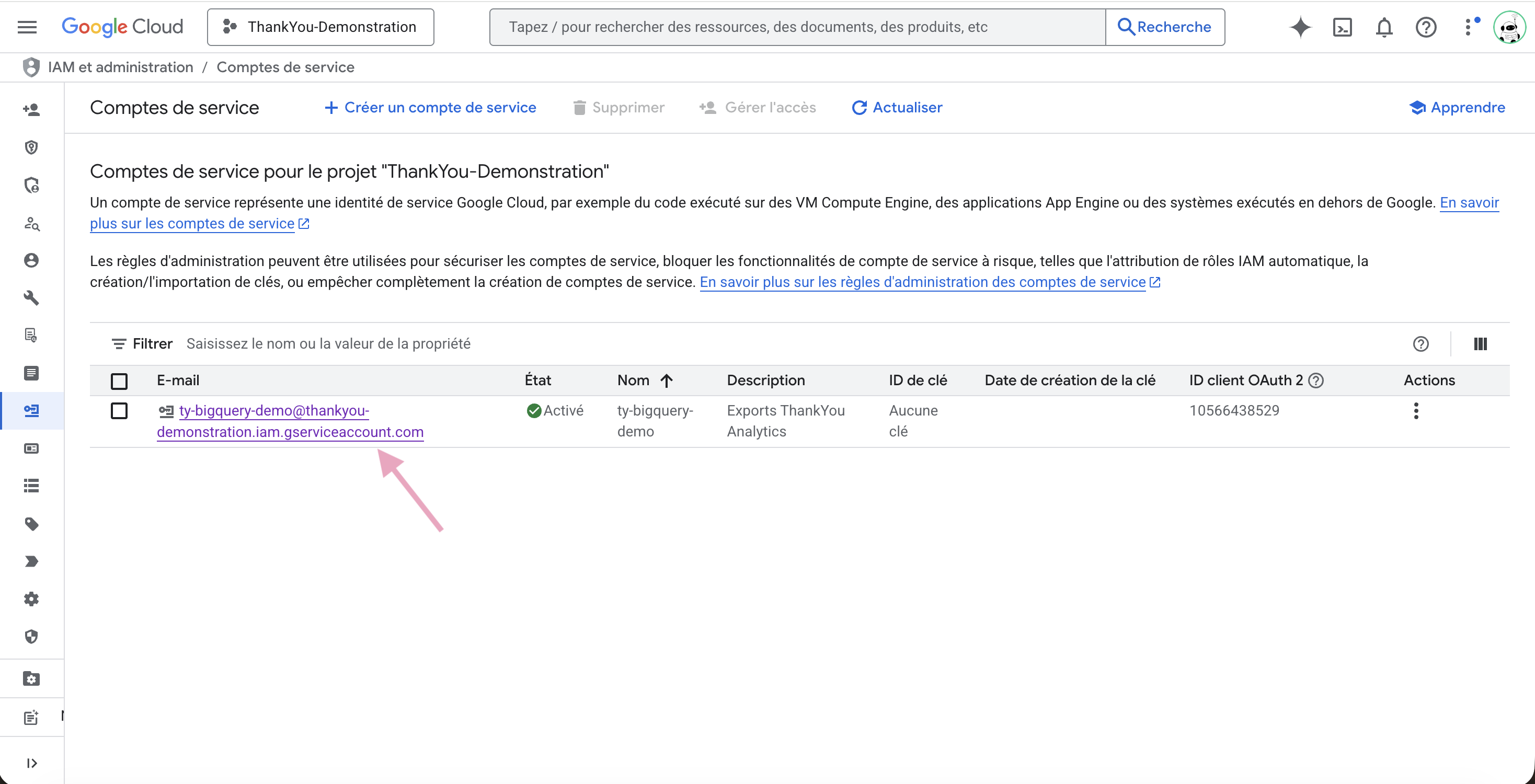
Go to the details of your new service account (by clicking on its name)
Remember the name (email alias) of this service account, you’ll need it in part 3
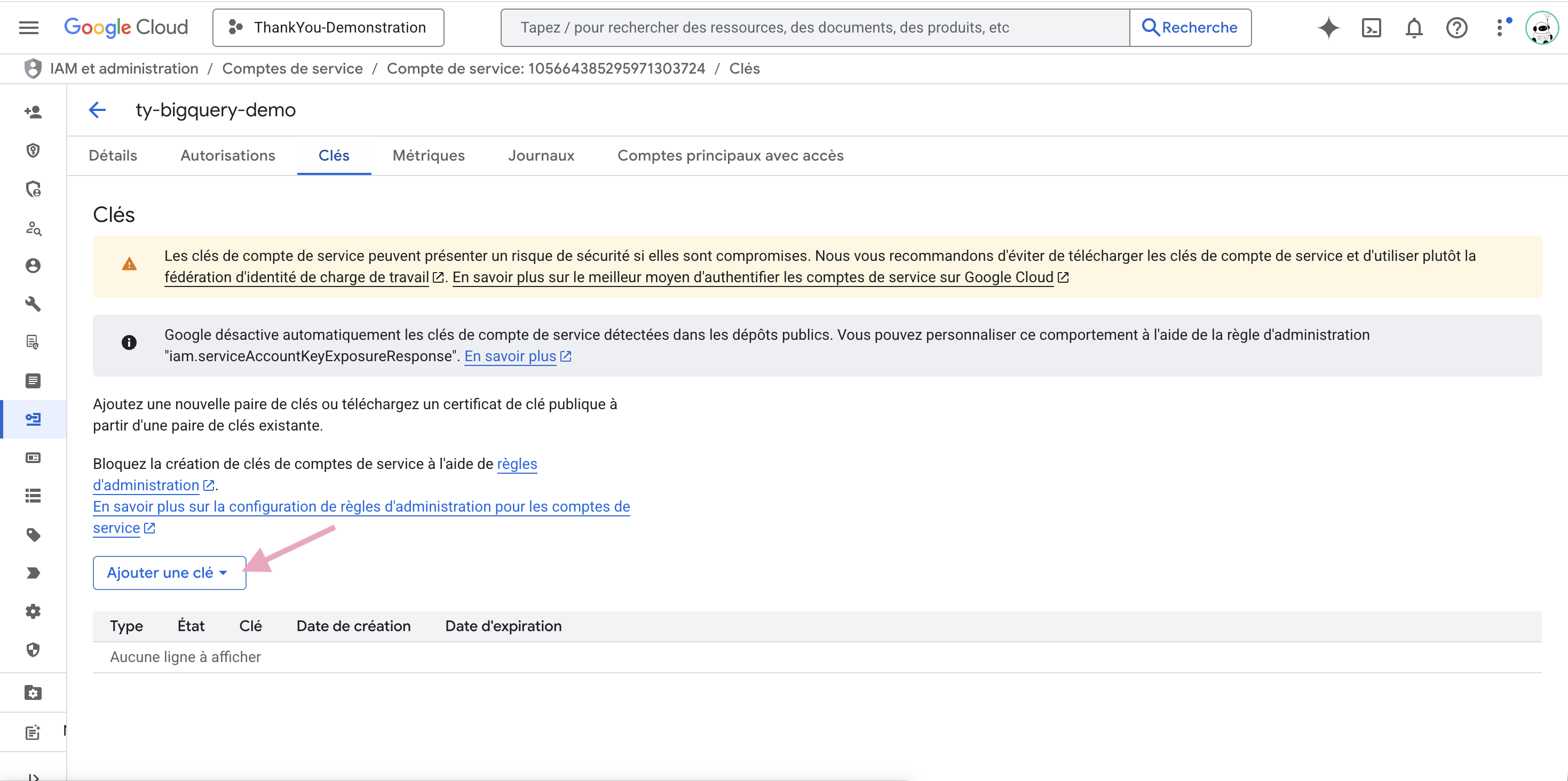
Generate a JSON key from the “Keys” tab
Check that you’ve downloaded the JSON file, it will be needed in the ThankYou Analytics app.
Step by step
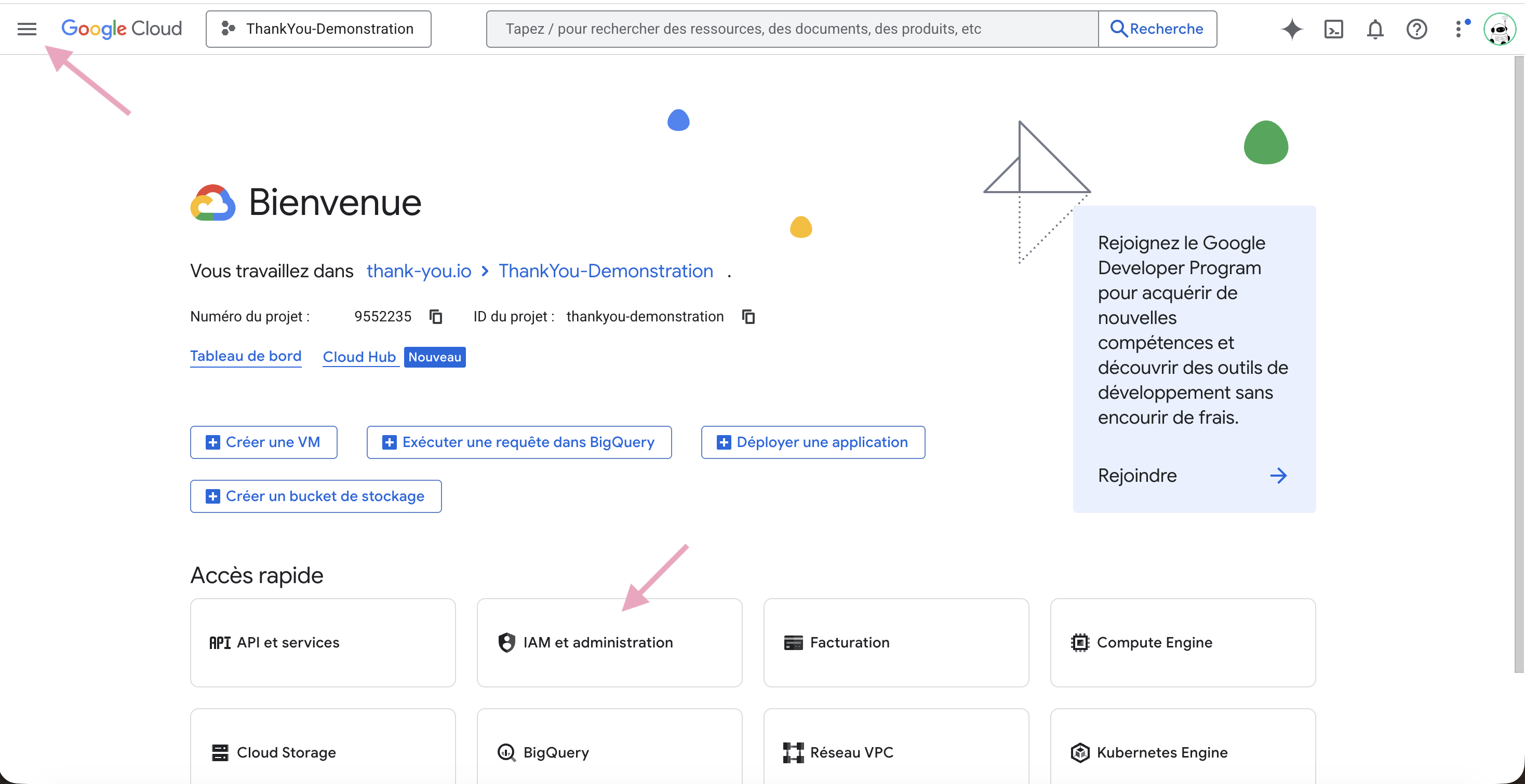
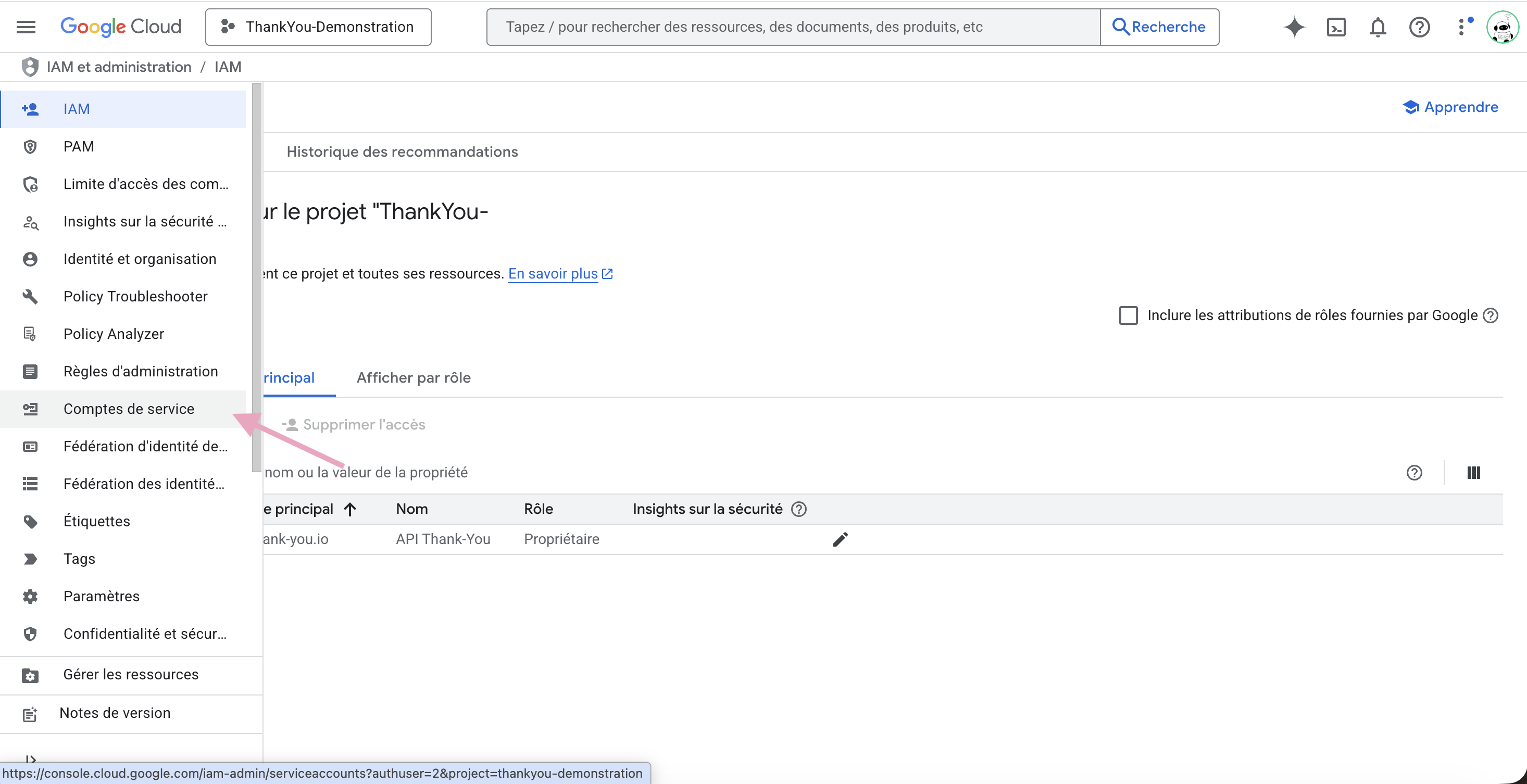
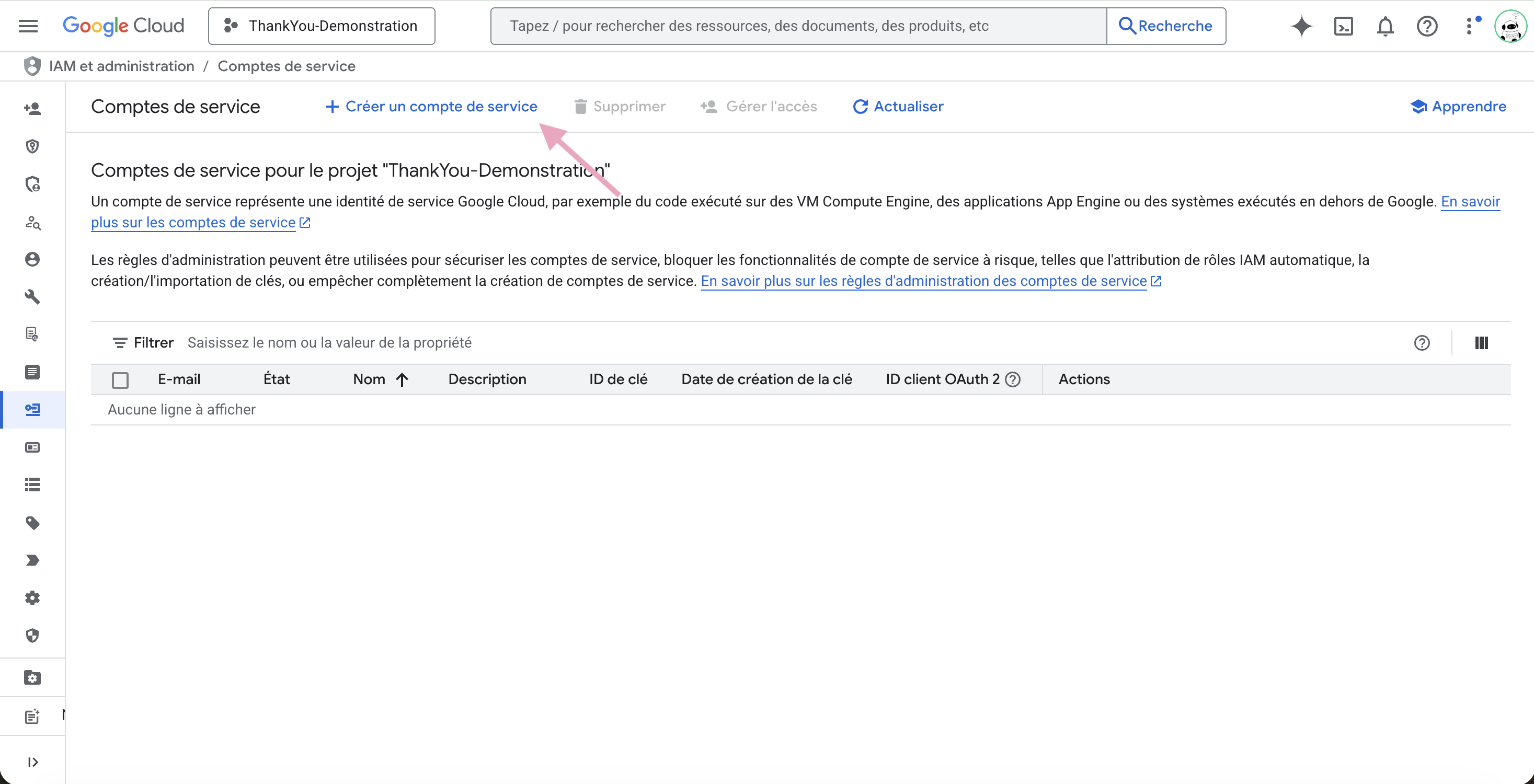
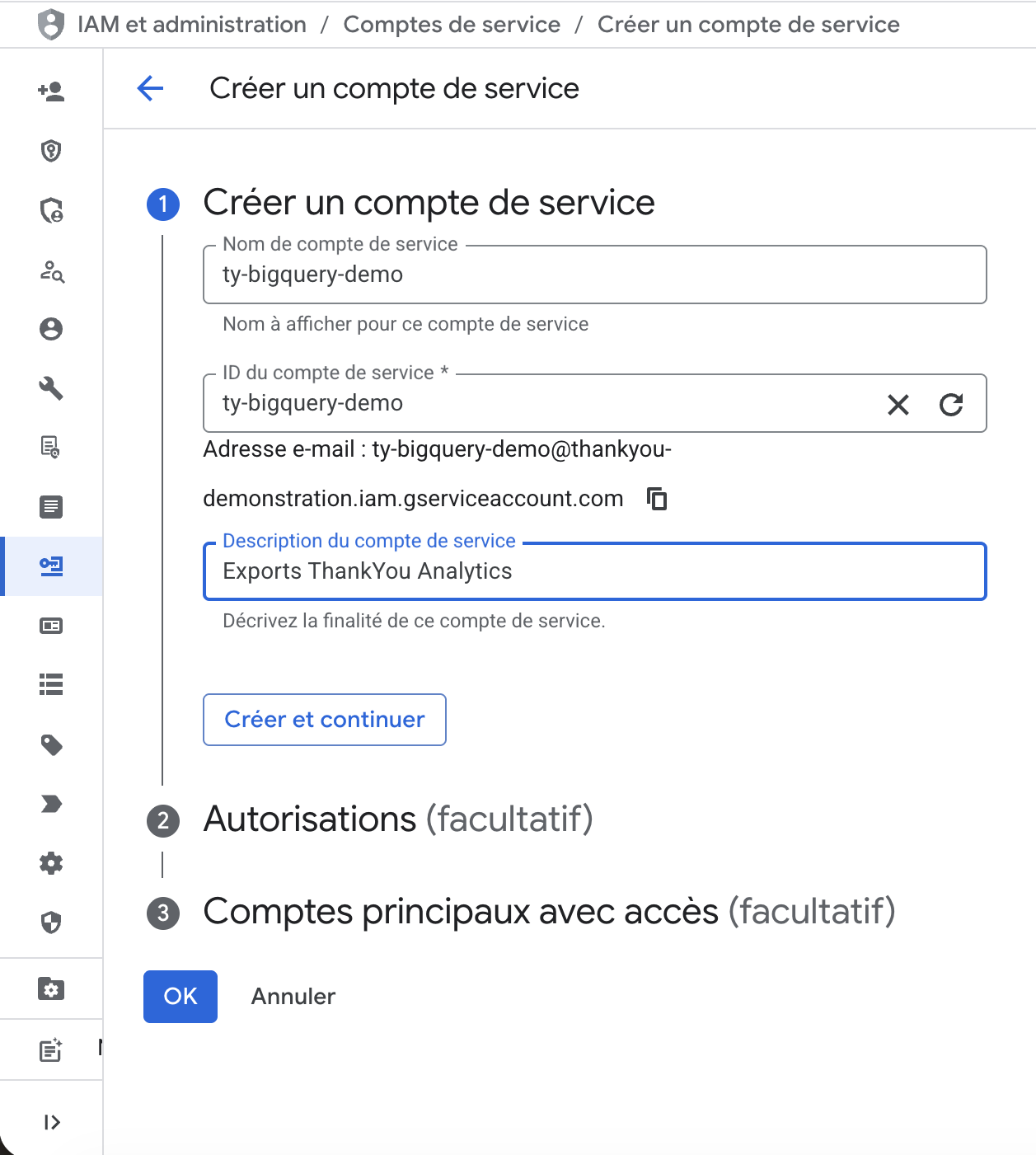
This key will need to be sent to ThankYou Analytics.
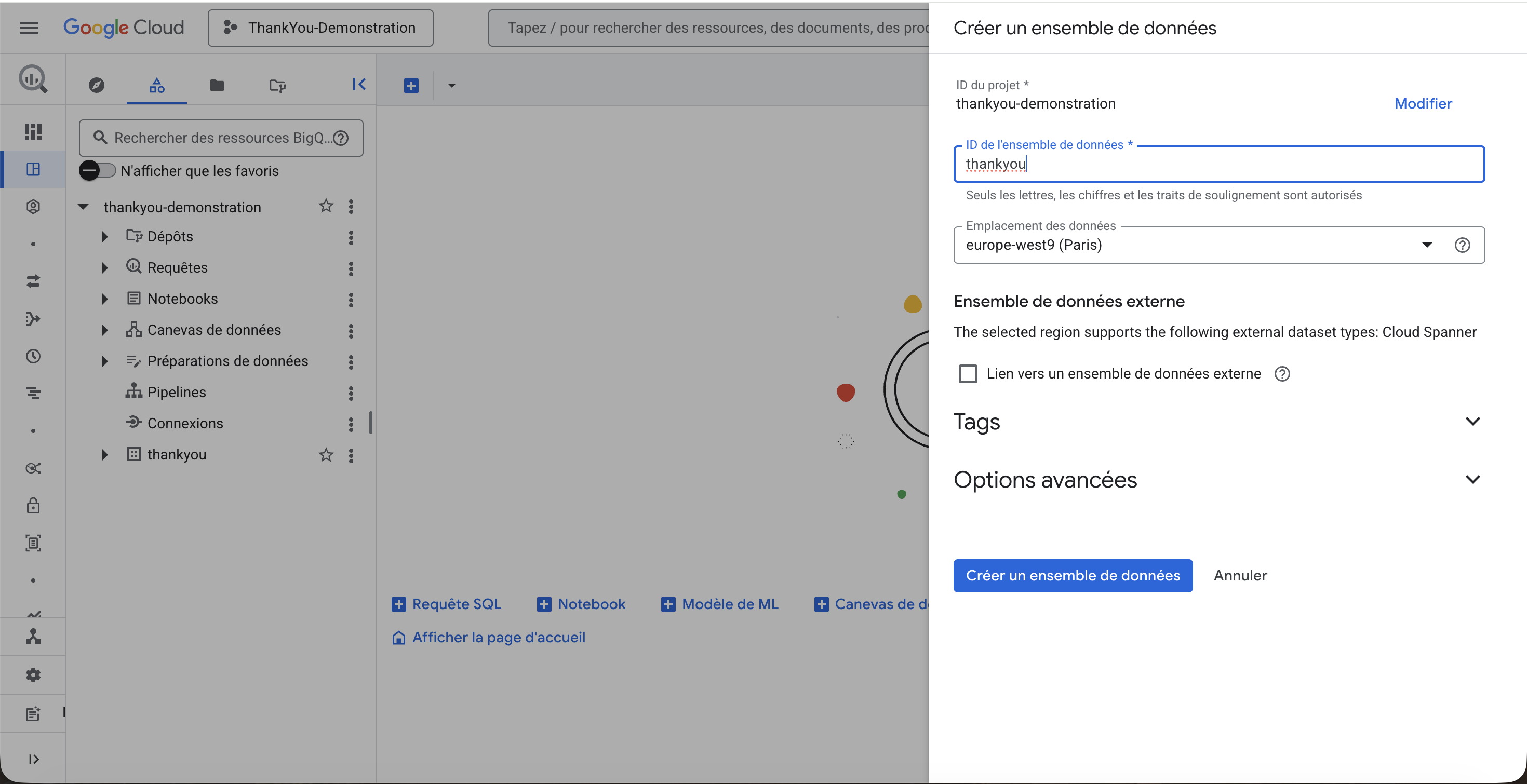
Now that you’ve created a service account, you need to create a DataSet to receive the tables that you’ll set up in the automatic exports.
Log in to BigQuery Studio
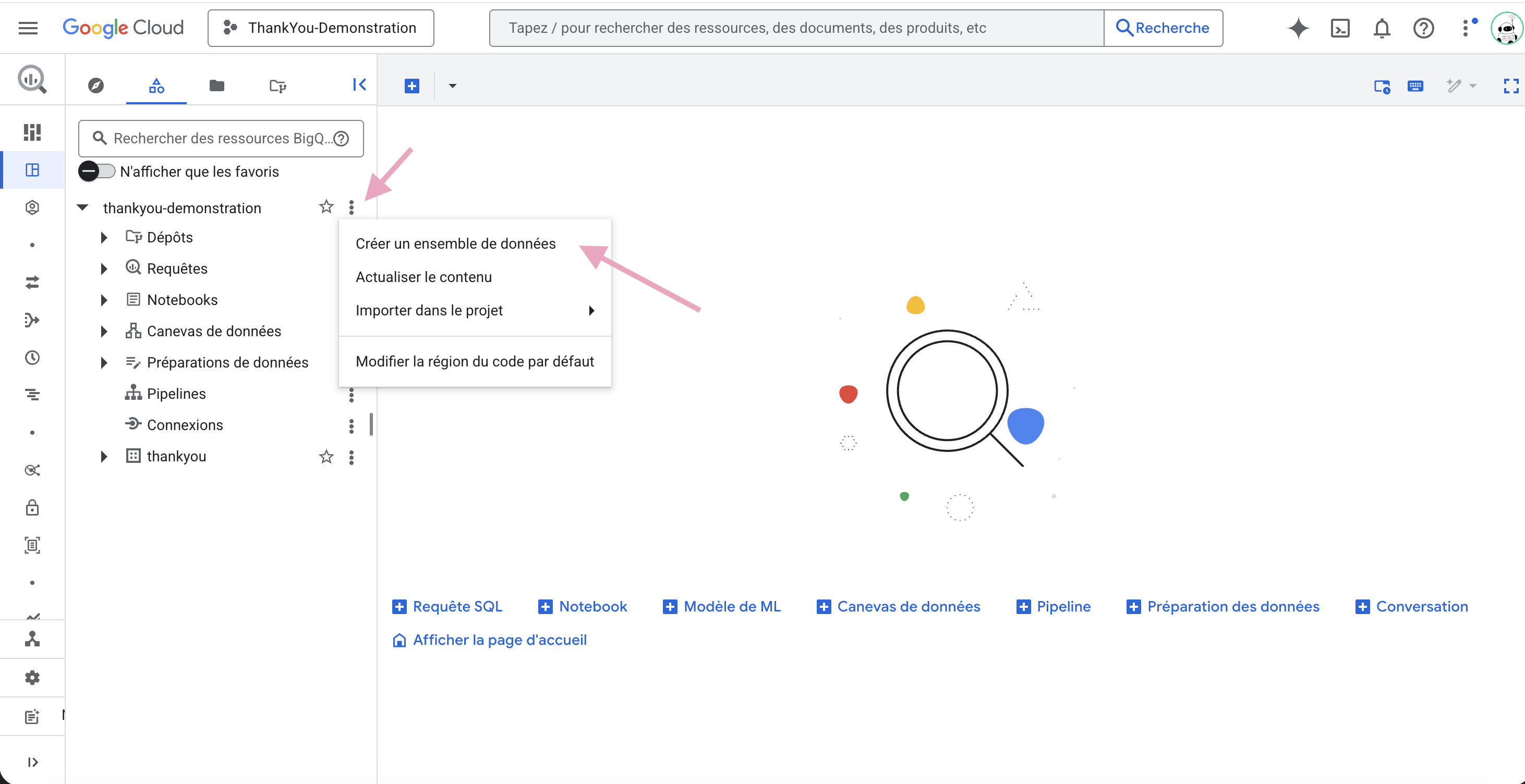
Create a DataSet
Name it as you wish and choose its location (servers)
Confirm that the DataSet appears under your project in BigQuery Studio.
Step by step
Once the service account and DataSet are ready, link them:
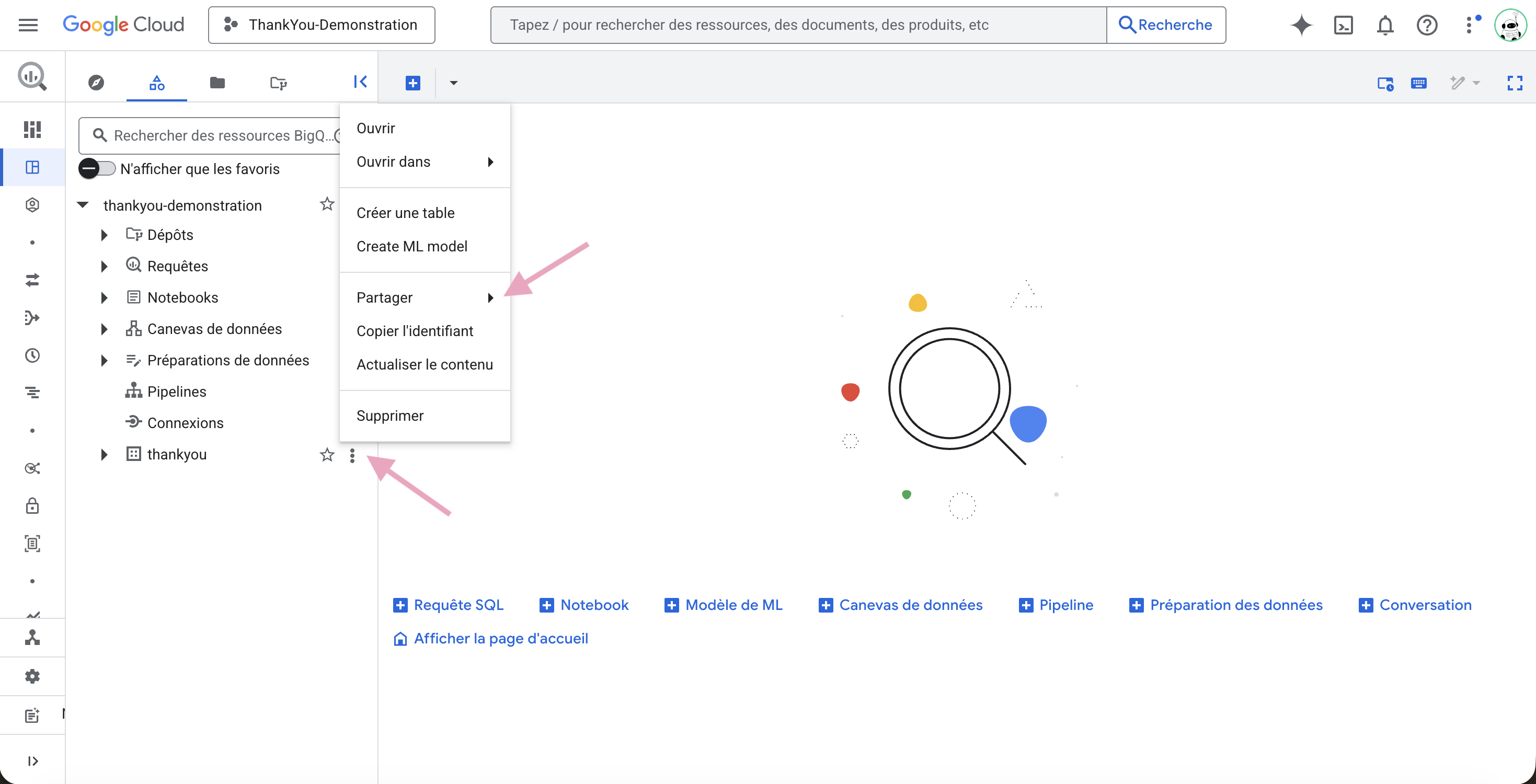
Log in to BigQuery Studio
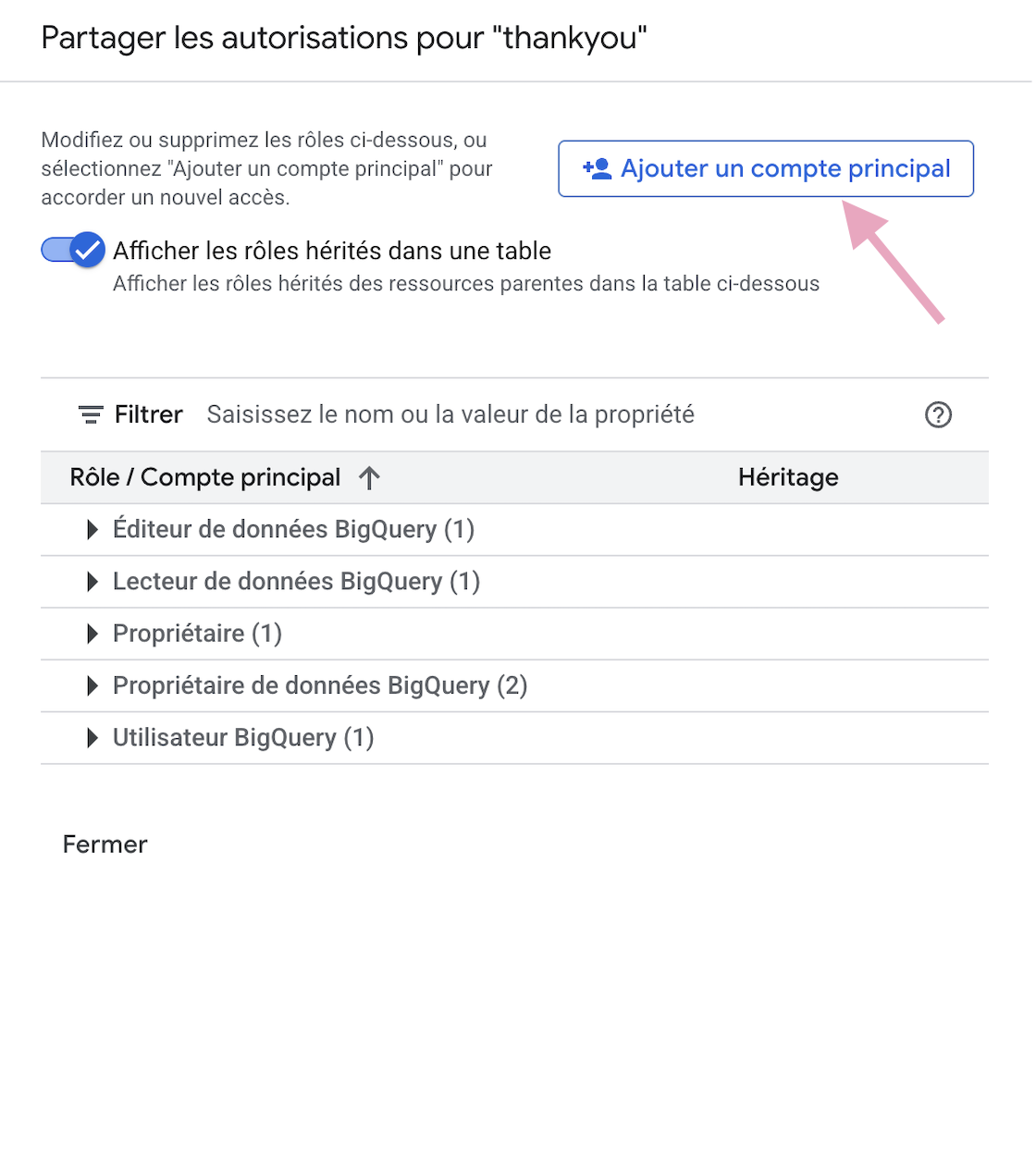
Open your DataSet, then select Share → Manage Permissions.
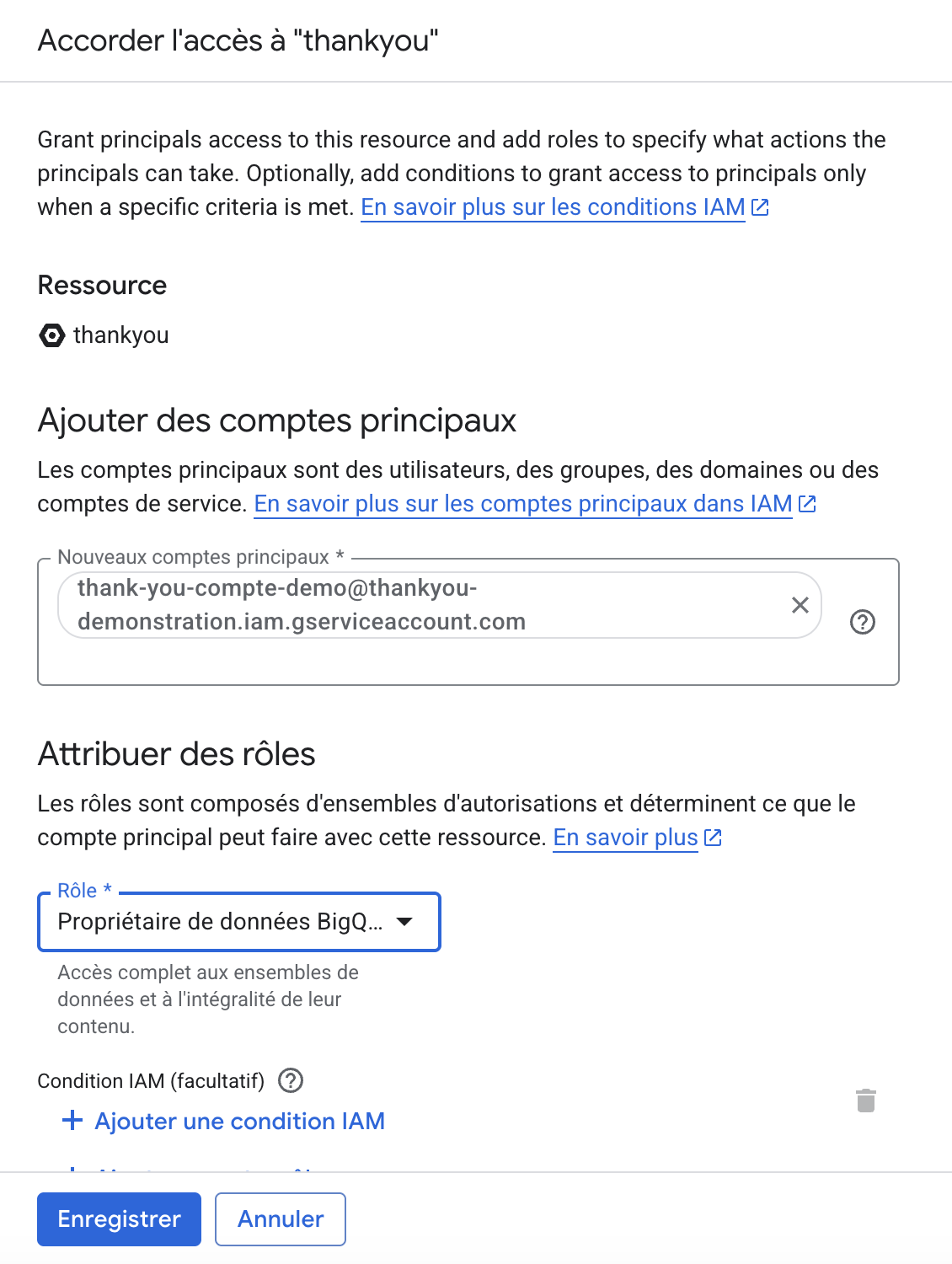
Add a principal account
Enter the name/email of the service account (created in part 1)
Add the permission “BigQuery Data Owner”
Verify that the service account appears in the access list of the DataSet with the role BigQuery Data Owner.
Step by step
 Setup Complete
Once the setup is complete, go to the Automatic exports section of the ThankYou Analytics app to select the data to export and enable the export to your DataSet.
Your next step:
Set up an automatic export to your BigQuery
With the JSON file and the name of your DataSet
Test the connection
Activate your exports
ThankYou Analytics automatic exports